
What Is the Best IPTV Subscription in 2026?
The best IPTV subscription in 2026 is not necessarily the service advertising the most channels. It is the subscription that reliably delivers the content you actually watch, works on your preferred devices, supports the number of simultaneous connections you need, provides a usable EPG and VOD experience, and operates transparently with appropriate content rights.
For most users, these seven factors matter more than an enormous channel count:
- Channels and content you actually watch
- Streaming stability
- Device compatibility
- HD, Full HD and 4K availability
- EPG, VOD and catch-up features
- Simultaneous connection limits
- Pricing, support and provider transparency
For resellers or businesses, there is another layer to consider: the IPTV panel used to create, manage, renew and monitor customer subscriptions.
That distinction is important because an IPTV subscription and an IPTV panel solve two completely different problems.
IPTV Subscription vs IPTV Panel: What Is the Difference?
People searching for IPTV often encounter terms such as IPTV service, IPTV subscription, IPTV panel, reseller panel, M3U, connections and lines. They are related, but they do not mean the same thing.
| Term | What It Means | Mainly Used By |
|---|---|---|
| IPTV Subscription | Access to television or video content delivered through an internet connection | Viewers |
| IPTV Panel | Dashboard used to manage IPTV users, subscriptions and related settings | Providers/Admins |
| IPTV Reseller Panel | Dashboard that lets an authorized reseller create and manage customer subscriptions | Resellers |
| IPTV Player | App or software used to play IPTV streams | Viewers |
| M3U Playlist | Playlist format that can contain IPTV stream information | Viewers/Providers |
| EPG | Electronic Program Guide displaying program schedules | Viewers |
| VOD | Video on Demand library | Viewers |
| Connection | Number of streams that may be allowed simultaneously, depending on the plan | Viewers/Providers |
An IPTV panel is essentially the management side of an IPTV operation. Depending on the platform and configuration, panels may be used for creating user accounts, setting expiration dates, managing subscriptions, controlling connections, organizing packages, processing renewals and reviewing account activity.
An IPTV subscription, by comparison, is what the end viewer uses to access the authorized television or video service.
What Is an IPTV Subscription?
IPTV stands for Internet Protocol Television. Instead of television programming reaching the viewer through conventional terrestrial broadcasting, satellite or traditional cable infrastructure, IPTV uses Internet Protocol networks to deliver television and video services.
Depending on the provider and plan, an IPTV subscription may include:
- Live television channels
- Sports programming
- News
- Entertainment
- Children’s programming
- International channels
- Movies
- Television series
- Video on Demand
- Electronic Program Guide
- Catch-up or replay
- Multiple device access
- Multiple simultaneous connections
Not every IPTV subscription contains all of these features.
This is why comparing two services only by the number of channels advertised usually leads to a poor buying decision.
How to Choose the Best IPTV Subscription in 2026
A good IPTV plan should fit your viewing habits, not force you to adapt your viewing habits to the plan.
Use the following criteria before paying for any subscription.
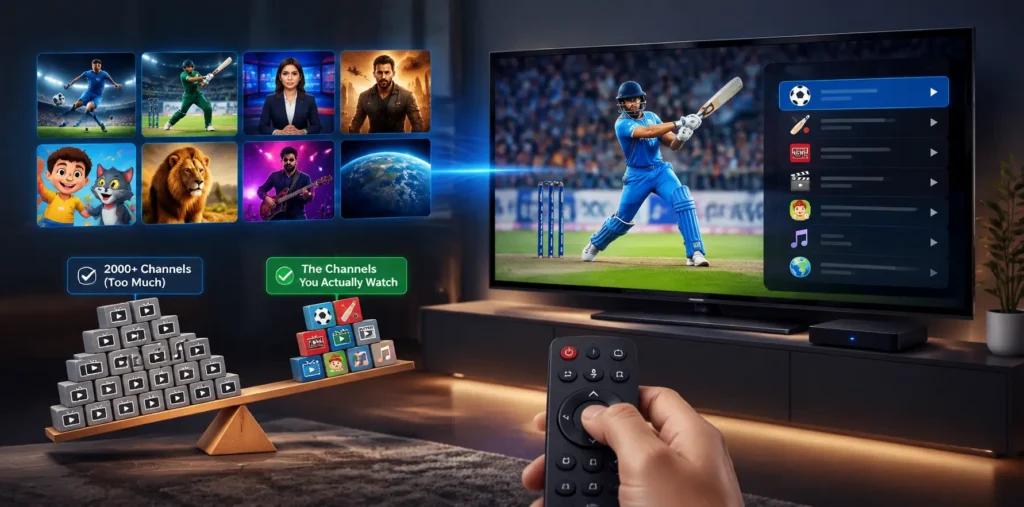
1. Start With the Content You Actually Watch
A package advertising 20,000 channels is not automatically better than one containing 2,000.
Ask a simpler question:
How many of the channels I actually want are included?
Create a short list before comparing services:
- Local television
- Sports networks
- Football
- Cricket
- News
- Movies
- Children’s programming
- Documentary channels
- Entertainment
- Regional programming
- International television
- Specific languages
This immediately eliminates many unsuitable plans.
A Better Way to Compare Channel Lists
Divide channels into three groups:
Essential: You would not subscribe without them.
Preferred: You watch them regularly but could live without them.
Bonus: Nice to have, but not important.
Judge subscriptions primarily on the first category.
A smaller, well-organized package containing your essential content can provide significantly more practical value than a massive playlist filled with channels you will never open.
2. Check Device Compatibility Before Buying
Your IPTV subscription is only useful if it works properly on the device where you intend to watch it.
Depending on the provider, compatible devices or platforms may include:
- Smart TVs
- Android TV
- Google TV
- Amazon Fire TV devices
- Apple TV
- Android smartphones
- Android tablets
- iPhone
- iPad
- Windows computers
- macOS computers
- Streaming boxes
- IPTV player applications
Do not simply ask whether the provider “supports Smart TV.”
Ask how the service will be configured on your particular television, operating system or streaming device.
Some services may provide an application, while others provide credentials or playlist information that must be entered into a compatible IPTV player.
3. Understand IPTV Streaming Quality
Resolution is one of the most heavily advertised IPTV features.
You will commonly see:
- SD
- HD
- Full HD
- 4K UHD
But a “4K subscription” does not mean every stream will be available in 4K.
Resolution can vary by channel, event, source and provider.
More importantly, picture resolution tells you only part of the story.
A stable Full HD stream is usually more enjoyable than an unstable 4K stream that constantly freezes.
Practical Internet Speed Guide
| Streaming Quality | Practical Connection Target Per Stream |
|---|---|
| SD | 3-5 Mbps |
| HD | 5-10 Mbps |
| Full HD | 10-20 Mbps |
| 4K UHD | 25 Mbps or higher |
Treat these as general planning ranges rather than guaranteed requirements. Actual bandwidth usage depends on video bitrate, compression, codec, network congestion and the stream itself.
Don’t Forget Multiple Streams
A household watching two or three streams simultaneously needs considerably more bandwidth than someone watching one television.
A simple planning formula is:
Estimated IPTV bandwidth = simultaneous streams × expected stream bandwidth + safety margin
For example, if two TVs are regularly streaming Full HD content, having enough spare bandwidth prevents other phones, computers, gaming consoles and downloads from competing with the TV streams.
4. Stability Matters More Than the Resolution Badge
One of the biggest mistakes buyers make is comparing IPTV subscriptions entirely on:
Channels + 4K + price
There is another factor that matters more during everyday use:
Consistency.
A reliable IPTV experience depends on several elements working together:
- Provider infrastructure
- Internet connection
- Wi-Fi quality
- Router performance
- Streaming device performance
- Server load
- Network congestion
- Stream bitrate
- Player configuration
IPTV and similar internet-delivered video systems depend on network performance, where issues such as bandwidth, delay, jitter and packet loss can affect service quality.
This is why claims such as “zero buffering forever” should be treated carefully.
No provider controls every part of the path between a streaming server and your television.
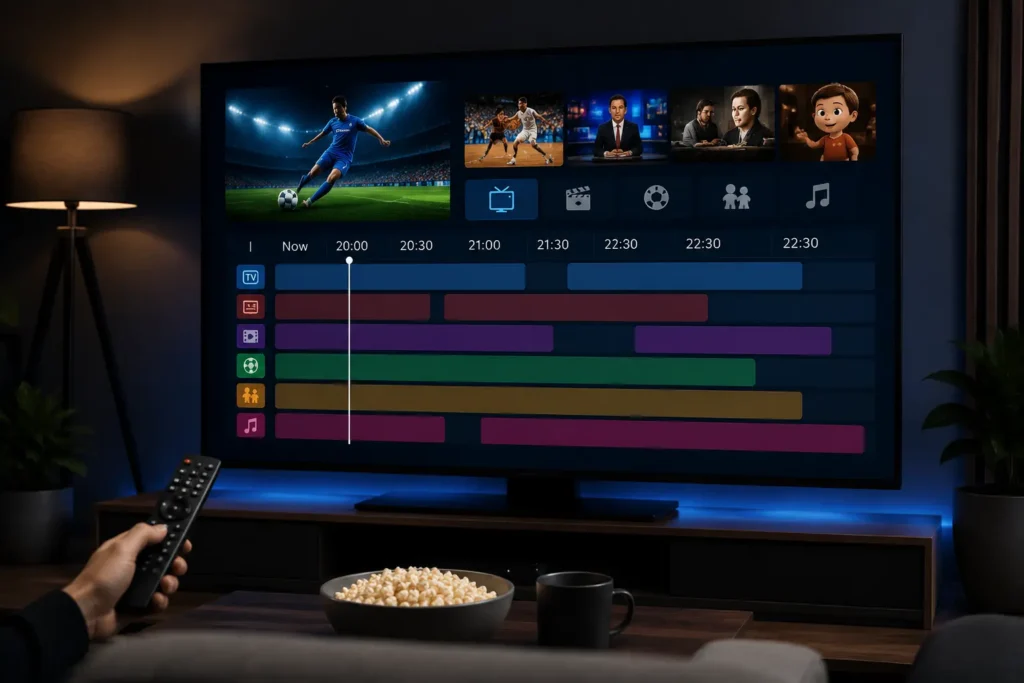
5. Look for a Useful Electronic Program Guide
An Electronic Program Guide, or EPG, displays information about current and upcoming television programs.
For people who mainly watch live TV, the EPG can be one of the most important features in an IPTV subscription.
A useful EPG should make it easy to see:
- What is currently playing
- What is coming next
- Program start and end times
- Channel information
- Upcoming events
A huge channel list with a poorly maintained guide can become frustrating to navigate.
If you frequently watch sports, news or scheduled television, give EPG quality more weight when comparing plans.
6. Evaluate Video on Demand Properly
VOD stands for Video on Demand.
Instead of waiting for a program to air at a specific time, VOD allows viewers to select available movies, episodes or other video content from a library.
Do not judge VOD only by the number advertised.
Ask:
- Is the library easy to search?
- Is content organized into useful categories?
- Are titles updated?
- Is metadata accurate?
- Does search work properly?
- Are episodes organized correctly?
- Is the content legally available through the provider?
- Is the content relevant to your region and interests?
Ten thousand titles you cannot navigate are less useful than a smaller, properly maintained catalog.
7. Check Catch-Up and Replay Availability
Catch-up TV allows certain previously aired programs to remain available for viewing after their original broadcast.
It can be useful for viewers who:
- Work irregular hours
- Watch international television
- Follow sporting events in different time zones
- Frequently miss scheduled programs
However, catch-up availability may vary by provider, channel and content rights.
Do not assume that “catch-up included” means every channel can be replayed.
Ask specifically which channels support it and how long programs remain available.
8. Understand Devices vs Simultaneous Connections
This causes a lot of confusion.
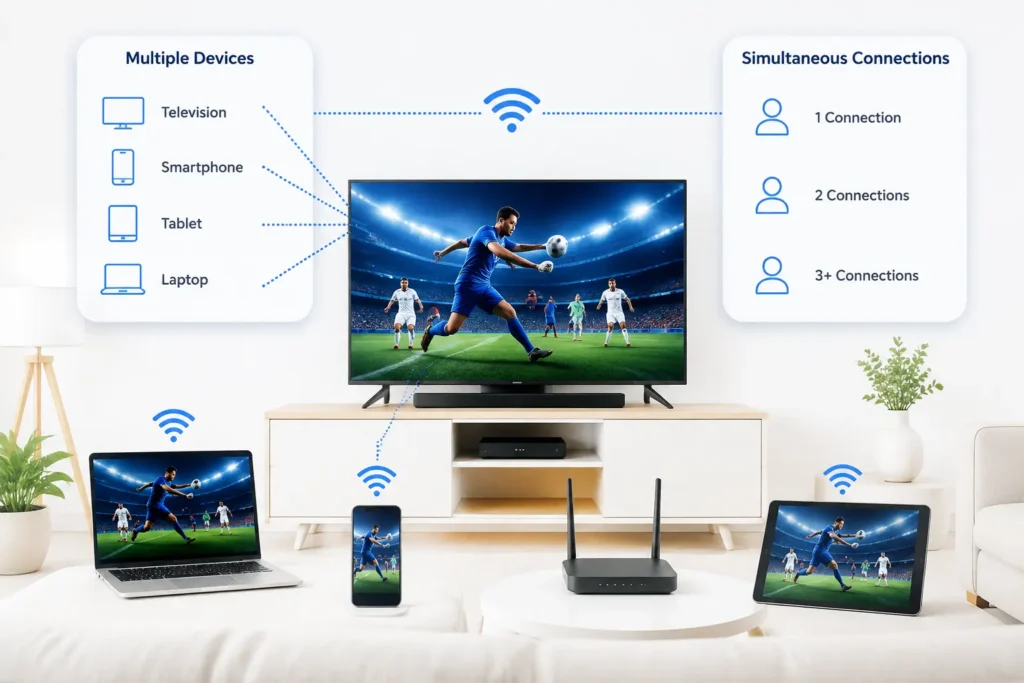
Multiple device support does not automatically mean multiple simultaneous streams.
A provider may allow you to configure a subscription on your:
- Television
- Smartphone
- Tablet
but permit only one of those devices to stream at a time.
Another plan may include two, three or more simultaneous connections.
Before buying, ask:
How many streams can play at the same time?
This matters especially for families.
Example
A household has:
- Living-room TV
- Bedroom TV
- Tablet
- Smartphone
Being allowed to install or configure the service on all four devices does not necessarily mean four people can watch simultaneously.
Always check the connection limit.
Best IPTV Subscription: Quick Comparison Checklist
Use this table when comparing providers.
| Feature | Provider A | Provider B | Provider C |
|---|---|---|---|
| Required channels | ✓ / ✗ | ✓ / ✗ | ✓ / ✗ |
| Local channels | ✓ / ✗ | ✓ / ✗ | ✓ / ✗ |
| Sports coverage | ✓ / ✗ | ✓ / ✗ | ✓ / ✗ |
| HD/FHD | ✓ / ✗ | ✓ / ✗ | ✓ / ✗ |
| 4K content | ✓ / ✗ | ✓ / ✗ | ✓ / ✗ |
| Smart TV support | ✓ / ✗ | ✓ / ✗ | ✓ / ✗ |
| Fire TV support | ✓ / ✗ | ✓ / ✗ | ✓ / ✗ |
| Android TV support | ✓ / ✗ | ✓ / ✗ | ✓ / ✗ |
| EPG | ✓ / ✗ | ✓ / ✗ | ✓ / ✗ |
| VOD | ✓ / ✗ | ✓ / ✗ | ✓ / ✗ |
| Catch-up | ✓ / ✗ | ✓ / ✗ | ✓ / ✗ |
| Multiple connections | |||
| Trial | ✓ / ✗ | ✓ / ✗ | ✓ / ✗ |
| Customer support | |||
| Refund terms | |||
| Renewal price | |||
| Licensing transparency |
Our 100-Point IPTV Subscription Evaluation Method
Instead of choosing a plan based on marketing claims, score each subscription.
| Category | Maximum Score |
|---|---|
| Required content and channels | 25 |
| Streaming stability and quality | 20 |
| Device compatibility | 15 |
| EPG, VOD and catch-up | 10 |
| Simultaneous connections | 10 |
| Customer support | 10 |
| Pricing transparency | 5 |
| Legal and company transparency | 5 |
| Total | 100 |
How to Read the Score
85-100: Excellent match for your requirements
70-84: Strong option, but check missing features
55-69: Acceptable only if price or specific content justifies it
Below 55: Keep comparing
The purpose of the score is not to declare one universal winner.
It forces you to compare the things that affect everyday viewing.
Best IPTV Subscription by Type of User
There is no single IPTV plan that is perfect for everyone.
Here is what different users should prioritize.
Best IPTV Subscription for Sports Fans
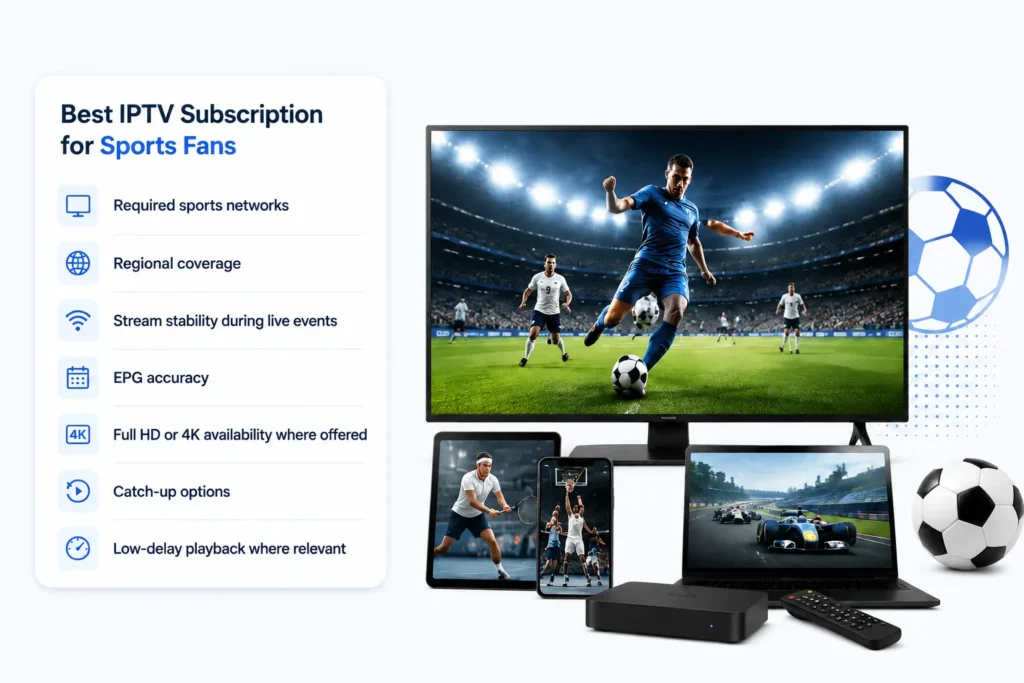
Sports viewers should focus on:
- Required sports networks
- Regional coverage
- Stream stability during live events
- EPG accuracy
- Full HD or 4K availability where offered
- Catch-up options
- Low-delay playback where relevant
Do not simply count sports channels.
If you watch football, cricket, basketball, boxing or motorsport, make a list of the exact competitions and broadcasters you need before comparing subscriptions.
Best IPTV Subscription for Families
Families should prioritize:
- Multiple simultaneous connections
- Children’s programming
- Parental controls where available
- Simple navigation
- Smart TV compatibility
- Movies
- Entertainment
- VOD
- Reliable EPG
A slightly more expensive multi-connection package can make more sense than purchasing separate accounts for different TVs.
Best IPTV Subscription for International Viewers
International viewers should check:
- Countries supported
- Languages available
- Regional networks
- Local news
- International sports
- Subtitle availability where relevant
- Geographic restrictions
Do not rely solely on claims such as “channels from every country.”
Request or review the actual channel lineup for the regions you need.
Best IPTV Subscription for 4K Viewers
If picture quality is your priority, check more than the “4K” label.
Consider:
- Number of actual 4K streams
- Device 4K support
- Television capabilities
- Internet bandwidth
- Wi-Fi or Ethernet quality
- Stream stability
- Codec support
Your complete setup determines the experience.
Best IPTV Subscription for Budget Buyers
The cheapest IPTV subscription is not automatically the best budget option.
Compare:
Total cost ÷ months of useful service
Then consider:
- Required channels
- Connection limits
- Activation fees
- Renewal price
- Device fees
- Additional connection costs
- Support
- Refund conditions
A cheap package becomes expensive if it does not contain what you actually use.
IPTV Subscription Pricing: Monthly vs 3, 6 and 12 Months
Longer subscriptions often reduce the effective monthly price, but longer commitments also increase your exposure if the service does not meet expectations.
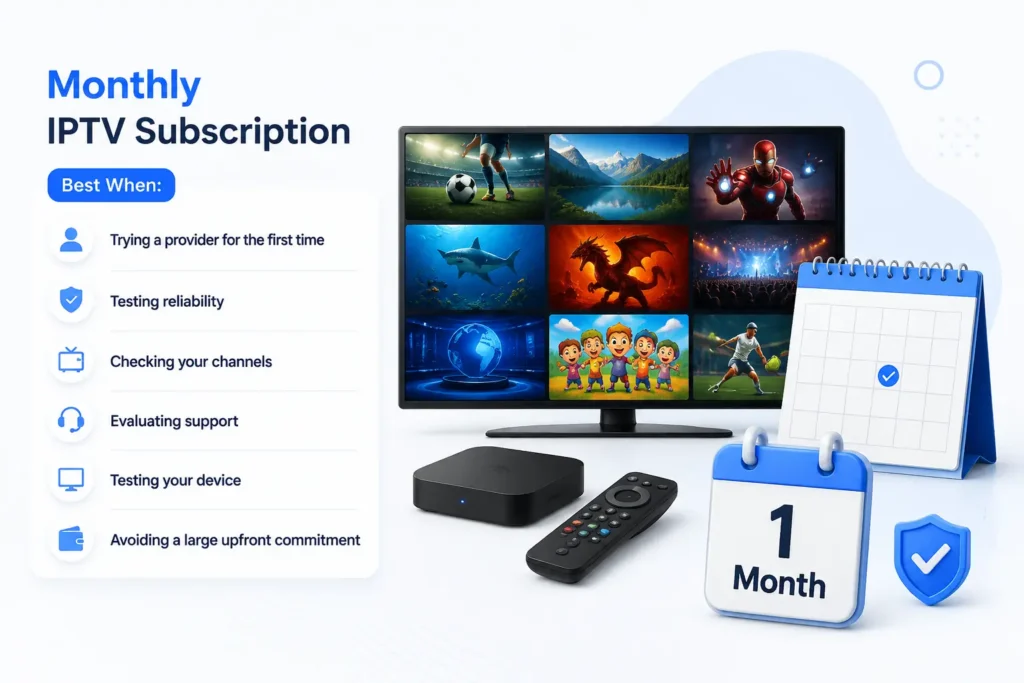
Monthly IPTV Subscription
Best when:
- Trying a provider for the first time
- Testing reliability
- Checking your channels
- Evaluating support
- Testing your device
- Avoiding a large upfront commitment
3-Month IPTV Subscription
A reasonable middle ground when you are satisfied after initial testing but are not ready for a yearly commitment.
6-Month IPTV Subscription
Better suited to an established provider you have already used successfully.
12-Month IPTV Subscription
A yearly package can offer better effective pricing, but it makes the most sense after you have already tested:
- Stream stability
- Content availability
- Devices
- EPG
- Support
- Connection limits
- Renewal process
Simple Rule
New provider: shorter commitment.
Proven provider: consider longer-term value.
Is an IPTV Free Trial Worth It?
Yes, when a legitimate provider offers one under clear terms.
An IPTV trial tells you far more than a channel-count graphic.
During the trial, test the service as you would actually use it.
IPTV Trial Checklist
Test:
- Your five favorite channels
- Sports channels
- Local channels
- Full HD streams
- Any available 4K streams
- EPG loading
- VOD search
- Channel switching
- Smart TV playback
- Mobile playback
- Peak evening hours
- Customer support response
- Multiple connections, if included
Do not test for only five minutes.
A stream working at 10:00 AM tells you little about how your complete iptv setup guide performs during the evening when your household network may be busier.
How an IPTV Panel Fits Into the Subscription Experience
Most consumers only see the front end: channels, apps and login details.
Behind subscription management, however, an IPTV panel can act as an administrative dashboard.
Depending on the panel and authorized service setup, administrators or resellers may use it to:
- Create customer accounts
- Set subscription durations
- Manage expiration dates
- Renew accounts
- Configure connection limits
- Organize packages or channel groups
- Create trial accounts
- Manage customers
- Review active or expired accounts
- Generate supported subscription credentials
- Manage reseller or sub-reseller access
- Review usage or activity information
Modern IPTV reseller panels are commonly described as web-based dashboards for managing customers and subscription-related workflows.
For a viewer, the quality of the management system may not be obvious.
For an IPTV reseller or administrator, it can affect almost every part of daily operations.
What Makes a Good IPTV Panel in 2026?
If you are evaluating an IPTV panel rather than simply buying a viewing subscription, use a different checklist.
A useful panel should make common administrative tasks straightforward.
1. Subscription Management
The dashboard should make it easy to understand:
- Active subscriptions
- Expiring subscriptions
- Expired subscriptions
- Connection limits
- Start dates
- Expiration dates
2. Fast User Management
Creating or updating a legitimate customer subscription should not require jumping between multiple systems.
A clear user-management workflow reduces mistakes.
3. Renewal Management
Renewals are an important part of any subscription business.
A panel should make it easy to identify accounts approaching expiration and manage authorized renewals.
4. Connection Management
Administrators may need visibility into the number of connections assigned to an account and whether the plan configuration matches what the customer purchased.
5. Trial Management
If trials are part of the provider’s business model, the panel should make them easy to create, track and expire.
6. Reseller Management
Businesses operating authorized reseller networks may also need:
- Reseller accounts
- Credit or balance management
- Permission controls
- Sub-reseller management
- Account activity tracking
7. Security
An IPTV panel contains business and customer information, so account security matters.
Use:
- Strong unique passwords
- Appropriate administrator permissions
- Secure connections
- Updated software
- Restricted access
- Regular backups where applicable
And only use IPTV management systems and content sources that you are legally authorized to operate or distribute.
IPTV Panel vs IPTV Reseller Panel
The terms are sometimes used interchangeably, but context matters.
An IPTV panel can refer broadly to an administrative interface used to manage IPTV-related users, subscriptions and services.
An IPTV reseller panel typically provides a more limited dashboard through which an authorized reseller can create and manage customer subscriptions without controlling the entire underlying infrastructure.
| Feature | Main IPTV Panel | Reseller Panel |
|---|---|---|
| Customer management | Yes | Usually |
| Subscription creation | Yes | Usually |
| Renewal management | Yes | Usually |
| Connection management | Yes | Usually |
| Full infrastructure control | May be available | Usually limited |
| Reseller management | Often | Depends |
| Server-level settings | Depends | Usually restricted |
| End-user access | No | No |
For viewers, neither replaces an IPTV player.
The panel manages the service. The player displays the authorized streams.
Also check the best Australian IPTV Service Providers
M3U, IPTV Players and Subscription Credentials
Another source of confusion is the difference between a subscription and the format used to access it.
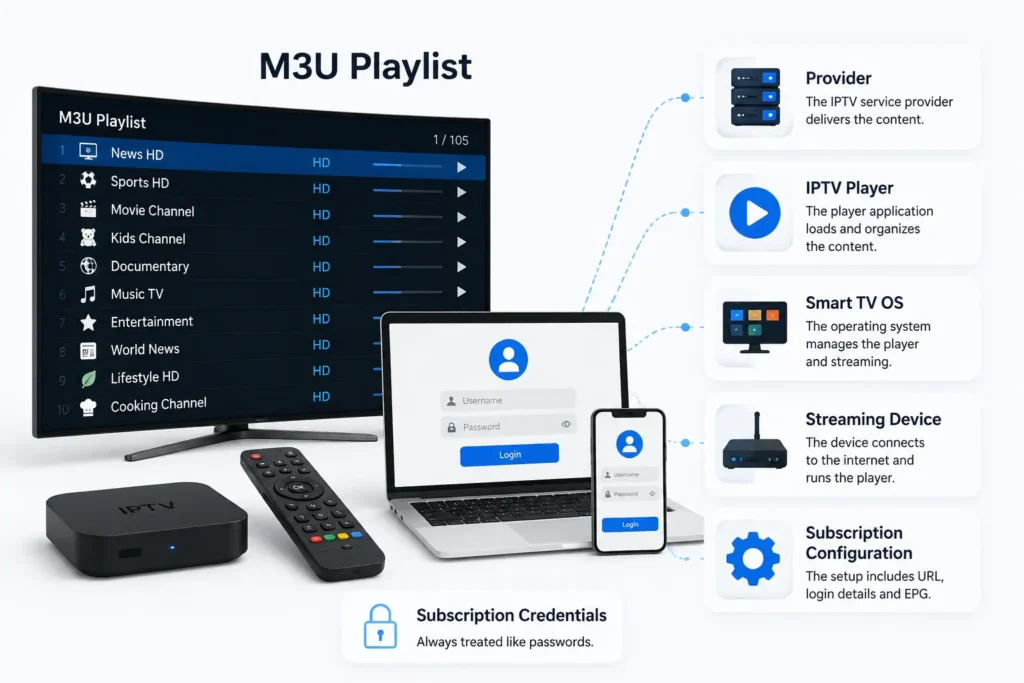
Some IPTV-compatible services provide account information that can be used with supported players. A common example is an M3U playlist, while some platforms use server address and username/password-style credentials.
The exact setup depends on:
- Provider
- IPTV player
- Smart TV operating system
- Streaming device
- Subscription configuration
Credentials should be treated like passwords.
Never publish them publicly or share them with unknown people.
How to Improve IPTV Streaming Performance
Before blaming your IPTV subscription for every interruption, test your local network.
Use Ethernet Where Practical
For a stationary television or streaming box, Ethernet can provide a more consistent connection than Wi-Fi, particularly when wireless interference is present.
Test Wi-Fi Signal Strength
If Ethernet is unavailable:
- Keep the router in an open position
- Reduce unnecessary obstacles
- Avoid hiding it in a cabinet
- Move the streaming device closer where practical
Stop Heavy Background Downloads
Large downloads, cloud backups, game updates and other high-bandwidth activity can compete with video streaming.
Restart Network Equipment
Routers and streaming devices can occasionally benefit from a clean restart when troubleshooting unusual connectivity problems.
Update Your Device
Keep:
- Streaming applications
- Television firmware
- Streaming boxes
- Routers
updated according to their manufacturers’ recommendations.
Test at Different Times
If streaming is excellent during the day but poor every evening, network congestion may be contributing to the issue.
Testing at multiple times makes troubleshooting easier.
IPTV Buffering: Provider Problem or Internet Problem?
Buffering does not have one universal cause.
Use this quick diagnosis.
One channel buffers, everything else works
The problem may be specific to that stream or source.
Every channel buffers on one device
Check the device, player and its network connection.
Every device buffers
Check your broadband connection, router or network.
Streams work on Ethernet but not Wi-Fi
Your wireless network may be the bottleneck.
Full HD works but 4K buffers
Your available bandwidth, device performance or stream bitrate may be insufficient for that particular stream.
This type of troubleshooting is more useful than automatically changing providers after the first interruption.
How to Spot an Unreliable IPTV Provider
A polished website does not guarantee a reliable service.
Look beyond the homepage.
Be Careful With Impossible Promises
Treat claims such as these cautiously:
- Zero buffering under every condition
- Every premium channel worldwide
- Unlimited everything forever
- Perfect 4K on every channel
- Guaranteed uptime with no exceptions
Streaming depends on too many factors for absolute claims to be meaningful.
Check Business Transparency
Look for:
- Contact information
- Terms and Conditions
- Privacy Policy
- Refund Policy
- Subscription terms
- Pricing information
- Customer support channels
- Content rights or licensing information where relevant
Missing basic business information should make you more cautious.
Understand Payment Terms
Before paying, know:
- The amount charged
- Subscription duration
- Renewal terms
- Refund policy
- Payment processor
- Any recurring billing conditions
Do not make a long-term payment simply because a large discount is offered.
Is IPTV Legal in 2026?
IPTV technology itself is a legitimate method of delivering television and video using Internet Protocol networks.
The legal issue is not the acronym “IPTV.” The important question is whether the provider has the necessary authorization or rights to distribute the content it offers.
Copyright law and licensing rules can differ between jurisdictions. In the United States, for example, copyright law includes protections against unauthorized access to subscription streaming services and technological measures protecting copyrighted works.
Before subscribing to or reselling a service:
- Review the provider’s licensing information
- Read its terms
- Check its company information
- Understand what content it is authorized to distribute
- Follow the laws applicable in your country
An IPTV panel does not make unauthorized content legal, and a VPN does not change the copyright status of a stream.
IPTV Privacy and Account Security
An IPTV subscription can involve:
- Email address
- Account credentials
- Device information
- Billing information
- Viewing-related account data
Treat the account like any other online subscription.
IPTV Security Checklist
- Use a unique password
- Do not reuse important banking or email passwords
- Keep credentials private
- Install applications from trusted sources
- Keep your device updated
- Review app permissions
- Use secure payment methods
- Review the provider’s Privacy Policy
- Avoid entering billing details on suspicious websites
For IPTV panel administrators, stronger access controls are even more important because the account may provide access to customer and subscription information.
The 60-Second IPTV Subscription Test
Before purchasing, answer these ten questions:
- Does it contain the channels I actually watch?
- Does it work on my main television or streaming device?
- How many simultaneous connections are included?
- Does it have a usable EPG?
- Is VOD important to me, and is the library useful?
- Does it offer the stream quality I need?
- Can I test it before making a long commitment?
- Are pricing and renewal terms clear?
- Can I contact customer support?
- Does the provider explain its business and content authorization clearly?
If you cannot answer several of these questions, keep researching.
IPTV Subscription Mistakes to Avoid in 2026
Mistake 1: Choosing by Channel Count Alone
Relevant channels matter more than total channels.
Mistake 2: Paying for a Year Without Testing
A yearly discount is not valuable if the service does not fit your needs.
Mistake 3: Ignoring Simultaneous Connections
Families often discover this limitation only after purchasing.
Mistake 4: Assuming Everything Is 4K
Ask what content is actually available at each resolution.
Mistake 5: Ignoring EPG Quality
For live-TV viewers, a poor guide can make a huge channel list difficult to use.
Mistake 6: Blaming Every Buffer on the Provider
Your Wi-Fi, device and local internet connection can also cause streaming problems.
Mistake 7: Ignoring Licensing and Business Information
Price should never be the only trust signal.
Mistake 8: Confusing an IPTV Panel With an IPTV Subscription
A subscription gives viewers access to a service.
A panel is a management environment used by administrators or authorized resellers.
What Should the Best IPTV Subscription Offer in 2026?
For most users, a strong IPTV subscription should provide a balanced combination of:
- Relevant channels
- Stable playback
- Device compatibility
- Clear picture quality options
- Accurate EPG
- Organized VOD where included
- Reasonable connection limits
- Transparent pricing
- Responsive support
- Secure account handling
- Clear subscription terms
- Appropriate content authorization
The best service is therefore not the one with the longest feature list.
It is the one where the features you actually need work consistently.
Final Verdict: What Is the Best IPTV Subscription in 2026?
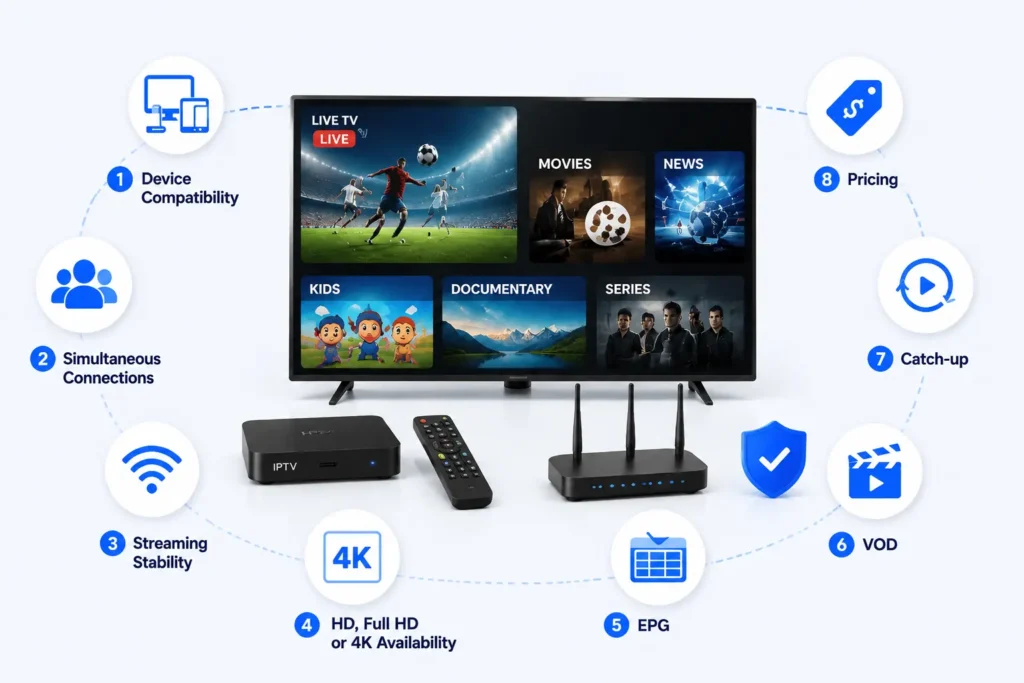
The best IPTV subscription in 2026 is the plan that matches your content, devices, household, internet connection, and budget while operating transparently and providing authorized content.
Start with your must-have channels.
Then verify:
- Device compatibility
- Simultaneous connections
- Streaming stability
- HD, Full HD or 4K availability
- EPG
- VOD
- Catch-up
- Pricing
- Customer support
- Subscription and licensing transparency
If possible, test the service before committing to a long subscription.
And if you are approaching IPTV from the business side rather than as a viewer, evaluate the IPTV panel just as carefully. User management, subscription creation, renewals, connection controls, account security, and reseller workflows can determine how efficiently an authorized IPTV operation is managed.
For more information about IPTV subscription management and reseller tools, explore the IPTV Panel resources available on Ultimate IPTV Panel.